
The 2026 Threat: Hackers have moved beyond phishing emails. Today, they exploit “Physical AI” entry points—like an unpatched smart fridge or an AI-enabled doorbell—to hop onto your home network and access your work laptop.
Table of Contents
- What is Wi-Fi 8? (And why it’s a security game-changer)
- Step 1: Segment or Suffer—The IoT Guest Network
- Step 2: Defeating the “Physical AI” Breach
- Step 3: Beyond WPA3—Harden Your Encryption
- Step 4: Firmware Hygiene—The Silent Defender
- Step 5: Zero Trust at Home

<a name=”wifi8″></a>
1. What is Wi-Fi 8? (And why it’s a security game-changer)
By early 2026, Wi-Fi 8 (IEEE 802.11bn) has become the standard for high-performance homes. While previous versions focused on raw speed, Wi-Fi 8 focuses on Ultra-High Reliability (UHR).
- Smart Coexistence: Wi-Fi 8 uses advanced MAC layer features to “coordinate” with neighboring networks, reducing interference.
- Security Perk: It mandate the use of even more robust versions of WPA3, making “brute-force” attacks on your Wi-Fi password virtually impossible.
- Fact: Wi-Fi 8’s smarter spectrum management means your “Work” traffic is prioritized over your “Smart Toaster,” ensuring your Zoom calls never drop during an attack.
<a name=”segment”></a>
2. Step 1: Is your smart fridge on your “Work” network?
The Problem: Most home users connect every device—laptop, phone, and smart lightbulb—to the same Wi-Fi name. If a hacker compromises a cheap $20 smart bulb, they can “see” your work laptop.
- The Fix: Create a Dedicated IoT Network.
- Log into your router (look for Wi-Fi 8 settings).
- Enable a Guest Network or a dedicated “IoT SSID.”
- Move all cameras, smart TVs, and AI appliances to this network.
- The Result: Your work laptop sits on a “Primary” network that is invisible to the compromised smart device.

<a name=”physical-ai”></a>
3. Step 2: Defeating the “Physical AI” Breach
In 2026, we see the rise of Physical AI—autonomous home assistants and security drones. These devices “learn” your routines.
- The Risk: If an AI camera’s cloud account is breached, a hacker can watch your screen while you type passwords.
- The Fix: Always use 2FA (Two-Factor Authentication) for the apps managing your physical hardware. If the device has a physical “Mic/Camera Off” switch, use it when you are in deep-focus work mode.
<a name=”encryption”></a>
4. Step 3: Is WPA3 enough for 2026?
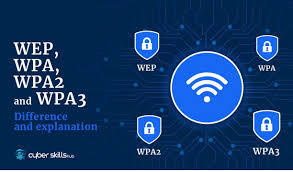
WPA2 is now officially obsolete. If your router doesn’t support WPA3-SAE (Simultaneous Authentication of Equals), it’s time to upgrade.
- Advanced Hack: In 2026, “Harvest Now, Decrypt Later” is a real threat. Hackers steal encrypted data today, hoping to crack it with future quantum computers.
- The Fix: Ensure your router has Management Frame Protection (MFP) enabled. This stops attackers from “de-authenticating” your devices to sniff out your handshake.
<a name=”firmware”></a>
5. Step 4: The Silent Defender—Firmware Hygiene
A router is a computer. Like your phone, it needs updates.
- The Fix: Enable Automatic Firmware Updates. In 2026, zero-day vulnerabilities in routers are patched within hours. If you wait a week to update, you are a target.
- Pro Tip: Disable WPS (Wi-Fi Protected Setup) and UPnP (Universal Plug and Play). These are “easy-access” features that hackers love to exploit.
<a name=”zerotrust”></a>
6. Step 5: Zero Trust at Home
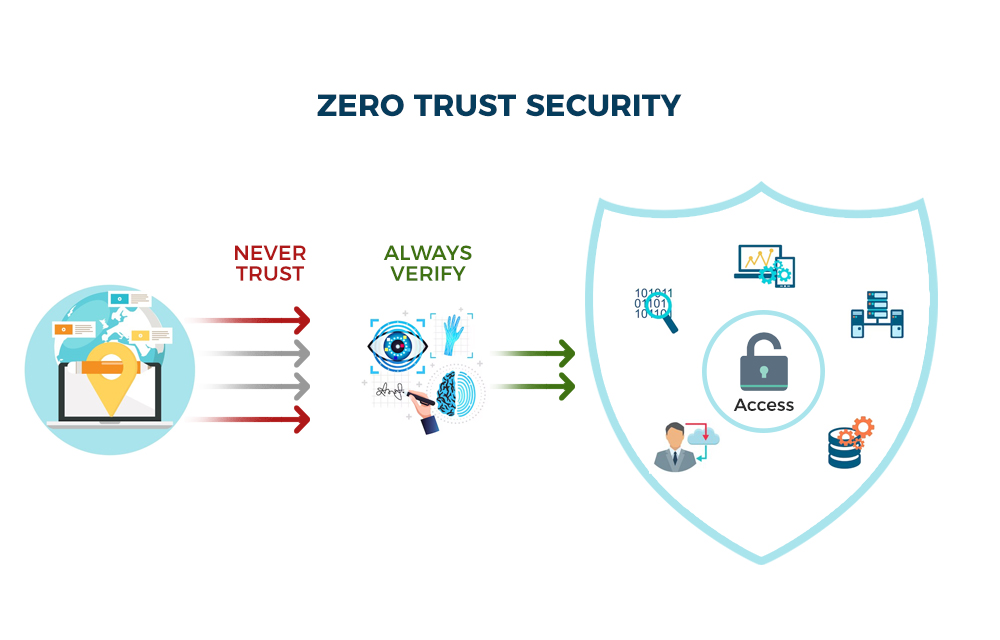
Don’t trust any device, even if it’s yours.
- Use a VPN: Always use a company-approved VPN. It creates an encrypted “tunnel” inside your home Wi-Fi, making the Wi-Fi security level secondary.
- Endpoint Security: Ensure your work laptop has a modern EDR (Endpoint Detection and Response) tool that can detect “lateral movement” (an attacker trying to jump from your TV to your laptop).
The Eduglar Security Audit
Securing a remote team is complex. A single weak link in an employee’s home office can lead to a multi-million dollar corporate breach.
At, Eduglar we provide:
- Remote Security Audits: We scan your team’s home network setups for vulnerabilities.
- Wi-Fi 8 Upgrades: We help your leadership team transition to the most secure hardware standards of 2026.
- Employee Training: We teach your staff how to keep their “Smart Homes” from becoming “Stolen Data.”
Don’t wait for a breach to happen.[Contact our IT Support team for a Home Security Audit] | [Explore our Cybersecurity Training]